Analysis results
What results can you expect?
Objects
| Icon | Description |
|---|---|
 | Class Module |
 | Constant |
 | Control |
 | Designer |
 | Event |
 | External Function |
| External Sub |
 | Form |
 | Function |
 | MDI Form |
 | Module |
 | Control Project |
 | EXE Project |
 | Group Project |
 | OLE DLL Project |
 | OLE Exe Project |
 | Get Property |
| Let Property |
 | Page Property |
| Set property |
| Sub |
 | VB Subset |
 | User Control |
 | User Document |
| Variable |
 | Com CoCLass |
 | Com Disp Interface Com Interface |
 | Com Method Com Property Com Get Property Com Put Property Com Put Ref Property |
 | Com Type Lib Com External Type Lib |
Links
| Link Type | When is this type of link created? |
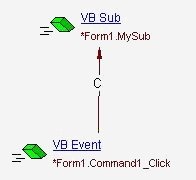
| Call | - When calling a VB or a COM function (sub, function, property
get, let set, com method, com prop put, prop putref, prop get) except
system functions (functions from VB, VBA or VBRUN DLLs) - When calling a VB or a COM event - When the return type of a function is not a standard one Here is a sample that shows one of these links. This will result in the following view:
|
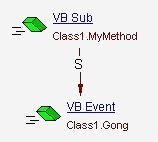
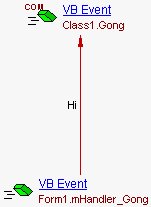
| Raise | - When raising an event In the following sample, we have a class (Class1) that defines an event (Gong) and a method (MyMethod). When MyMethod is called, we raise an event. This will result in the following view (includes only event relevant links):
|
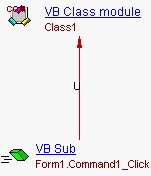
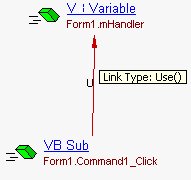
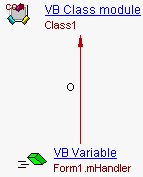
| Use | There is also a Form (Form1) that has the button (Command1). Here’s the code of this Form: - When declaring a user data-type, link with the non standard members of this user data-type - When referencing a non standard type member of a user data-type variable
- When accessing a variable
|
| Rely On | - When declaring a variable of a non standard type
- When declaring a function return value of a non standard type |
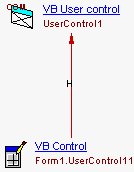
| Inherit | - When a user control inherits from a non standard type In this sample, the user control “UserControl1” is used in the form “Form1”
- When implementing an event using WithEvents statement
|